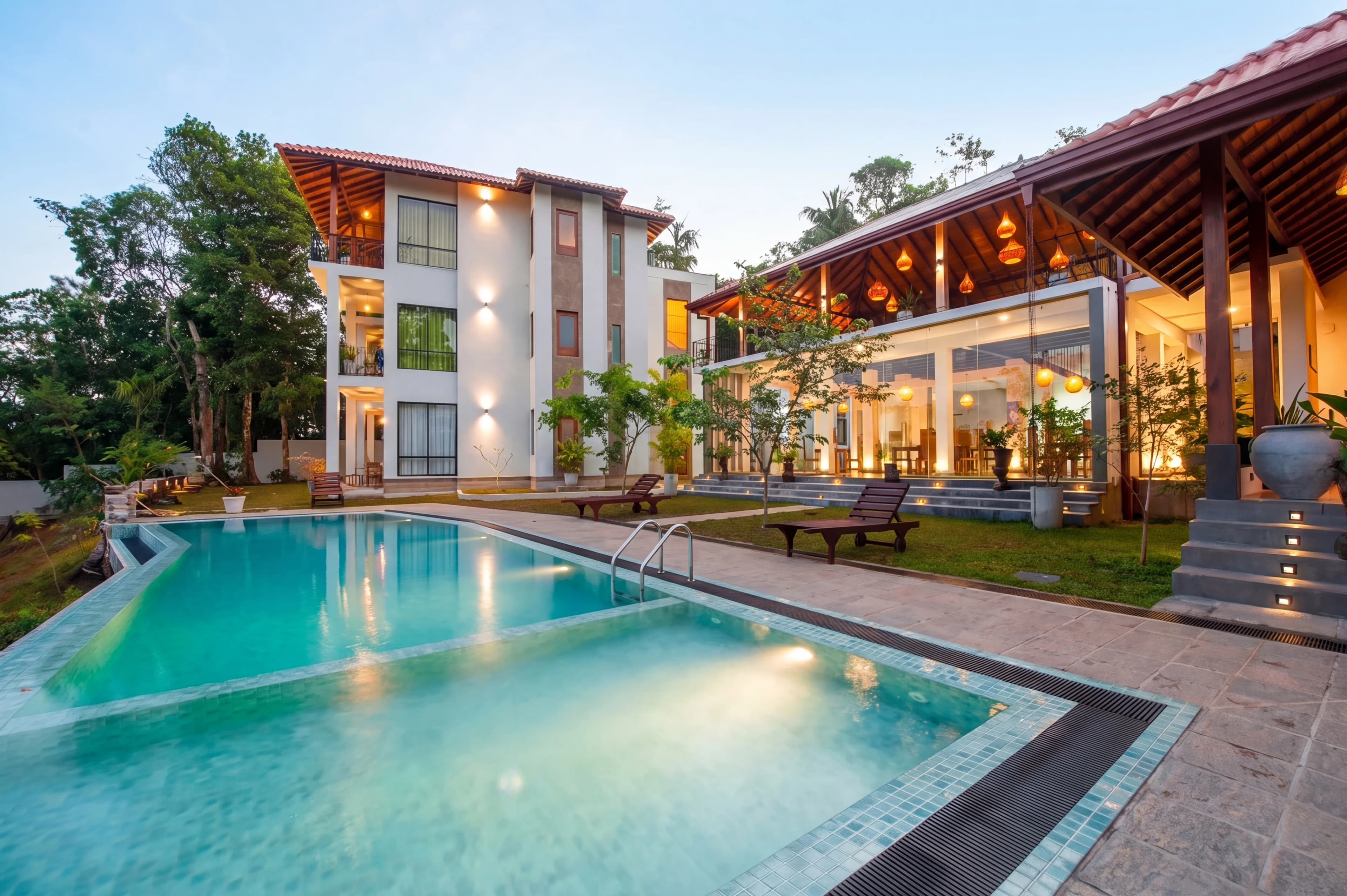
AI has entered almost every corner of real estate — pricing models, lead scoring, contract review, market forecasting. But the application with the most immediate, visible impact on listings isn't any of those. It's photography.
The photos are the first thing buyers see. They determine whether someone clicks on a listing or keeps scrolling. And for most agents and photographers, they're also the most time-consuming, expensive part of the marketing process to get right.
This guide covers how AI is being used across real estate today, where it actually saves time and money, and how to figure out which tools make sense for your workflow.
The Real Estate AI Landscape in 2026
AI tools in real estate broadly fall into five categories:
| Category | What it does | Who uses it | |---|---|---| | Photo enhancement | Fixes exposure, color, sky, objects | Agents, photographers | | Virtual staging | Furnishes empty rooms digitally | Agents, staging companies | | Property video | Generates listing videos from photos | Agents, marketing teams | | Pricing & valuation | Estimates market value from data | Agents, investors, lenders | | Lead & CRM automation | Qualifies leads, writes follow-ups | Brokerages, agents |
This guide focuses on the visual marketing side — photo enhancement, virtual staging, and video — because that's where AI has moved fastest and where the ROI is clearest for individual agents and photographers.
AI Photo Enhancement for Real Estate
The Problem It Solves
Every real estate photo has the same fundamental challenge: the camera sees the world differently than the human eye. Walk into a bright room with windows and your eyes adjust instantly — you see a well-lit interior and a view outside. The camera picks one exposure. Either the room looks right and the windows blow out to white, or the view is visible and the room looks dark.
AI photo enhancement solves this at scale. Instead of a retoucher spending 20–40 minutes on each image in Photoshop, AI models trained on millions of real estate photos apply zone-aware exposure balancing, color correction, and sky replacement in under a minute.
What AI Enhancement Covers
Exposure and window balancing — The single most impactful fix. AI identifies window regions and balances interior and exterior exposure without the HDR halo artifacts that plagued earlier approaches. The result looks like a photograph taken with perfect ambient light.
Sky replacement — Overcast skies make exteriors look gloomy. AI sky replacement swaps a white-gray sky for a blue sky with realistic clouds, matching lighting direction and horizon blending. The critical differentiator between tools is edge masking quality — cheap tools leave halos around trees and rooflines; good tools don't.
Color correction — Interior rooms shot under mixed lighting (warm LEDs + daylight + fluorescent) show different color casts in each zone. AI applies scene-aware white balance corrections locally rather than globally, so the wood floor, the painted wall, and the window view all look right simultaneously.
Object removal — Power lines, garden hoses, trash cans, lawn signs, visible camera reflections in mirrors. AI content-aware fill removes these without manual masking or cloning.
Batch consistency — A full property shoot covers 25–40 rooms under different lighting conditions. AI processes the entire batch with consistent color and exposure so the listing looks like one cohesive property, not a collection of random shots.
What AI Enhancement Cannot Do
It cannot fix severely out-of-focus images, reconstruct missing architectural detail, or make a genuinely small room look large. It works best on photos that are properly composed and in focus — the AI handles post-processing, not photography fundamentals.
AI Virtual Staging
Empty Homes Sell for Less
Studies consistently show that empty homes sell for less and take longer to sell than furnished or virtually staged equivalents. Buyers struggle to visualize scale and function in empty rooms. Virtual staging removes that friction.
Traditional virtual staging — photographed separately, composited by a designer — costs $50–$200 per room and takes 24–72 hours. AI-powered virtual staging costs a fraction of that and returns results in minutes.
How It Works
AI virtual staging uses diffusion models trained on interior design datasets. You upload an empty room photo, select a style (modern, transitional, farmhouse, luxury, etc.) and the AI renders furniture, rugs, art, and accessories into the space — matched to the room's perspective, lighting, and architecture.
The output is a photorealistic composite. Buyers cannot tell from the image that the furniture isn't real. (Disclosure requirements vary by market — most MLSs require a note that the image is virtually staged.)
Style Matching Matters
The best AI staging tools let you match the style to the target buyer demographic and price point. A starter home in a suburban market should look warm and accessible. A luxury condo should look minimal and curated. Generic AI staging that applies the same aesthetic to every property undersells both.
AI Video for Real Estate Listings
Why Listing Video Matters
Listings with video receive significantly more engagement than photo-only listings. But traditional video production — hiring a videographer, shooting walkthrough footage, editing — adds cost and scheduling complexity to an already compressed timeline.
AI video tools generate listing videos directly from still photos. They add cinematic camera motion, transitions, and optional music to create a video tour without a video shoot.
What AI Video Looks Like
The best AI real estate video tools create smooth, realistic camera movements through a property — panning across rooms, pulling back from detail shots, transitioning between spaces. The result looks close enough to real walkthrough video that most buyers cannot distinguish it.
The output is ready for MLS syndication, Instagram, YouTube, and email campaigns without any video editing software.
Where AI Saves the Most Time
For agents handling their own photography:
| Task | Traditional time | With AI | |---|---|---| | Basic photo editing (20 photos) | 3–5 hours (DIY) or 24–48 hours (outsourced) | 5–10 minutes | | Sky replacement (per photo) | 15–45 minutes manual | <1 minute | | Virtual staging (per room) | 24–72 hours | Minutes | | Listing video | Full video shoot + edit | 15–30 minutes |
For photographers managing high-volume shoots:
The biggest gains are in batch processing and consistency. A photographer who shoots 10 properties per week and outsources editing can reduce per-property editing costs significantly with AI — and eliminate the 24–48 hour turnaround delay that pushes listing timelines back.
How to Choose an AI Tool for Real Estate
Questions to Ask
What's the output resolution? Some AI tools downsample images during processing. For MLS and print marketing, you need full resolution output.
How good is the sky masking? Request samples with complex rooflines, trees, and architectural details. This is where quality differences are most visible.
Does it handle batch shoots? Individual photo editing is different from processing a 30-photo property shoot with consistent color across all images. Make sure the tool supports batch workflows.
What's the turnaround time? For fast-moving markets and MLS deadlines, hours matter. Cloud-based AI tools return results in minutes; services that route through human editors add days.
What style options are available? A single default aesthetic doesn't work for every price point and market. Look for multiple presets — bright and airy, warm, luxury, natural — and the ability to match style to property type.
Red Flags
- No before/after samples with complex architectural details
- Output images that look obviously processed (HDR halos, plastic texture, oversaturated skies)
- No batch processing capability
- Turnaround measured in days rather than hours
- Downsampled output resolution
Getting the Most Out of AI Photo Editing
AI performs best when you give it good raw material. A few habits that consistently produce better AI enhancement results:
Shoot at the right time of day. Golden hour and overcast (but not storm) light are easiest for AI to work with. Harsh noon sun creates shadow patterns that are harder to correct.
Use a tripod. Sharp, blur-free images give the AI model the cleanest input to work with.
Bracket your exposures when possible. Even if the AI can work from a single shot, bracketed exposures give it more information to produce better window pulls and HDR effects.
Turn on all the lights. Interior lights help AI models understand the room's intended brightness and color temperature, producing more accurate color corrections.
Frame intentionally. AI can remove objects and fix skies, but it can't reframe a shot. Composition is still your job.
The Bottom Line
AI has made professional-quality real estate marketing accessible at any volume and budget. A solo agent can now produce the same caliber of listing photos as a large brokerage with a full editing team. A photographer can deliver a polished, consistent shoot the same day instead of 48 hours later.
The tools that matter most are the ones that address the specific bottlenecks in your workflow — whether that's photo turnaround time, empty room presentation, or listing video production.
fotolabs handles the full visual pipeline: photo enhancement, virtual staging, and AI video — from upload to final delivery in minutes. See plans and pricing, or start editing free.