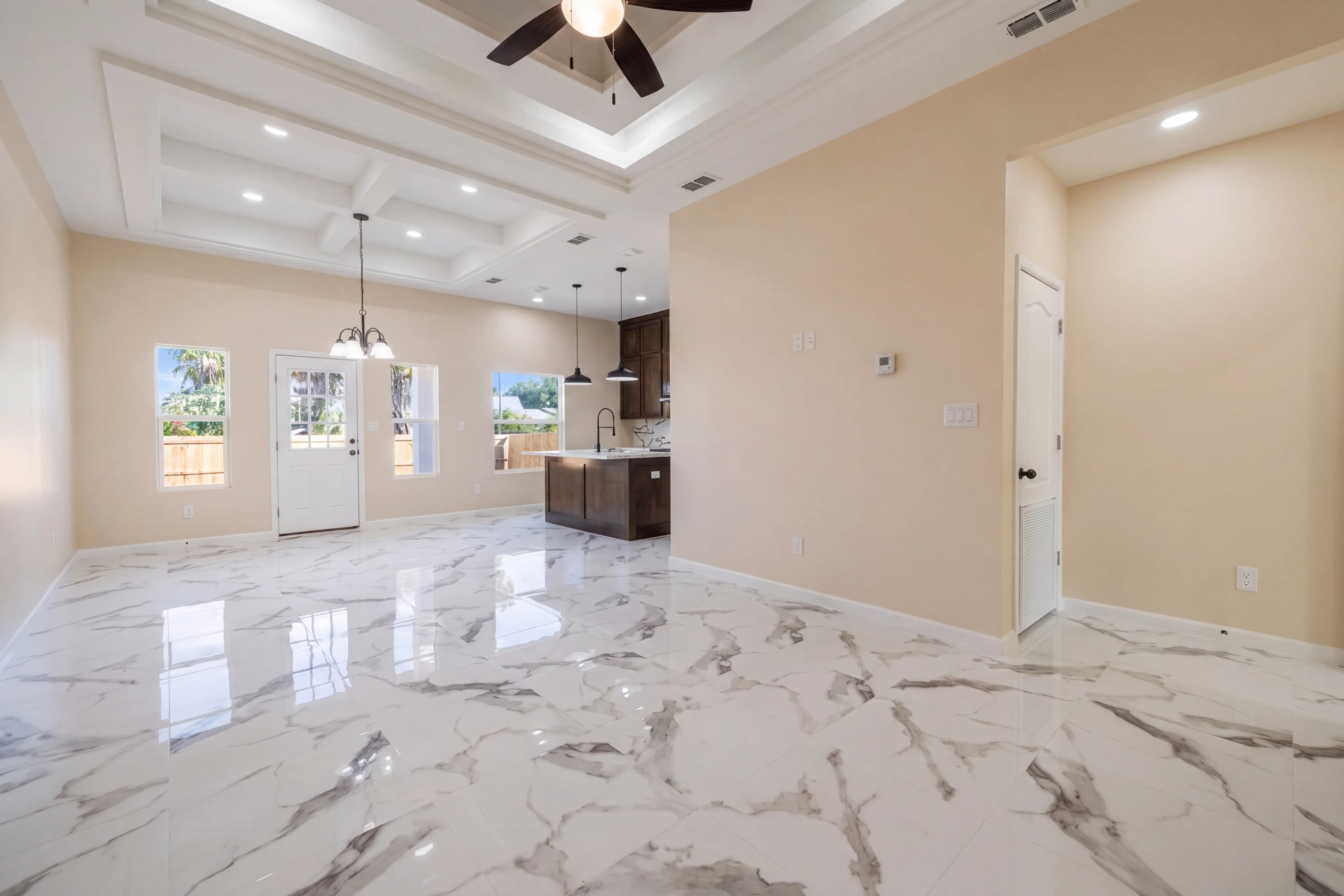
Every listing photographer knows the problem. You walk into a sun-drenched living room, point your camera at the bright sliding door, and the camera picks: expose for the window (room goes dark) or expose for the room (window blows out to pure white). Human eyes adjust seamlessly. Cameras can't. The result is the single most common quality complaint in real estate photography, and the reason HDR editing became the professional standard.
Traditional HDR workflows require 3–7 bracketed exposures per shot, then a dedicated blending pass in Lightroom, Photoshop, or specialized HDR software like Aurora or Photomatix. For a 40-photo shoot, that's 120–280 source files and 2–4 hours of manual editing — or outsourcing to a service like BoxBrownie for $1.50–$4 per image with 12–48 hour turnaround.
fotolabs is AI HDR photo editing software that cuts the turnaround to 30 seconds and the cost to under $0.60 per image. Upload your single JPEG or RAW, get a professionally edited HDR result with balanced exposures, open shadows, and natural window views — ready for MLS.
What HDR real estate photo editing actually does
"HDR" is often misunderstood as the over-saturated, halos-everywhere look from early 2000s landscape photography. That aesthetic still appears in some real estate markets (not the good kind). Professional real estate HDR looks nothing like that — it looks like the room you walked into.
The goal of HDR editing in real estate is tonal balance: every zone of the image — shadow areas behind furniture, mid-tones on walls, bright windows — should fall within the camera's visible range and look natural. Specifically:
- Interior walls: properly exposed at middle-gray tones, showing paint color accurately
- Window areas: recovered to show the actual exterior view, not a blown-out white rectangle
- Shadow zones: lifted to reveal detail under cabinets, in closets, behind open doors
- Highlights: pulled back from clipping without losing color information
- Local contrast: preserved or enhanced so textures in wood floors, stone counters, and fabric read clearly
Traditional HDR achieves this by shooting 3–7 exposures and blending them. AI HDR achieves this by learning from millions of real estate photos what "balanced" means for a given scene, then applying intelligent tone-mapping to a single input.
How fotolabs HDR editing works
fotolabs is built as a pipeline — you don't need to manually select "HDR" as a separate option. Every listing photo you upload gets intelligent exposure correction as part of the base processing pass. You can request additional HDR enhancement if the source is a high-contrast scene (large windows, dark wood interiors, strong directional light).
The technical process:
- Upload — drag in your JPEG or RAW files. Works on single exposures; brackets not required.
- Select HDR edit — choose the HDR Photo Editing template from the editing options.
- Wait ~30 seconds — the model performs zone-by-zone exposure analysis and applies corrections.
- Download — full-resolution MLS-ready output. No watermark on paid plans.
If the result needs a tweak — windows still a bit bright, walls slightly dark — submit a touch-up request. Most touch-ups finish within minutes.
Single-exposure AI vs. traditional bracket blending
Traditional HDR requires multiple exposures for a reason: the sensor simply doesn't capture all the tonal information in one shot. A single JPEG especially has limited dynamic range baked in at the time of capture. So how does fotolabs produce good HDR results from a single JPEG?
The answer is learned priors. The AI model has seen millions of real estate photos and understands what a typical living room, bedroom, or kitchen should look like when properly exposed. When it sees an underexposed interior with a bright window, it doesn't randomly invent the outside view — it uses context clues (window shape, interior light direction, reflected light color temperature) to reconstruct what was there.
The result is not as technically clean as a properly captured 5-bracket blend. Where you get the difference:
| Scenario | Bracket blend result | fotolabs single-exposure result |
|---|---|---|
| South-facing room, midday sun | Excellent — full window detail captured | Very good — minor reconstruction artifacts possible |
| North-facing room, overcast | Excellent | Excellent — easy recovery from single file |
| RAW input | Excellent | Excellent — model has full tonal range |
| JPEG input, good exposure | Very good | Very good |
| JPEG input, badly exposed | Good (depends on bracket range) | Good — may have some zone loss |
For professional photographers shooting RAW: fotolabs performs at parity with bracket blending on the vast majority of residential real estate scenes. For agents using phone photos or JPEGs from a consumer camera: fotolabs produces a dramatic improvement from nothing, even if it doesn't match a professional bracket workflow.
Window pull: the most visible HDR improvement
Window pull is the real estate photographer term for recovering the exterior view through bright interior windows. It's often listed as a separate service by editing companies ($1–$2 extra per window), but fotolabs handles it automatically as part of HDR processing.
The model identifies window openings by their luminance, edge geometry, and the light they cast into the room. It then applies spatially-aware tone compression to those regions — pulling down the window brightness while keeping the interior exposure intact. The result shows both:
- An accurately exposed interior with visible paint, flooring, and furniture detail
- A natural exterior view through the window — sky, trees, neighboring structures — instead of a white rectangle
For rooms with multiple windows at different exposures (e.g., one facing east and one north), the model handles each separately. For rooms where the exterior view isn't visible even in raw captures (backlit onto a white wall), the model preserves the blown-out area rather than inventing content that doesn't exist.
HDR editing for exterior shots
Exterior listing shots have their own exposure challenges:
Sky blowout: Direct overhead sun bleaches the sky to featureless white. HDR processing recovers blue gradients, cloud texture, and color in the upper third of the frame.
Facade shadows: Under certain sun angles, the front of a house falls into its own shadow. HDR lifts the shadow zone to reveal siding color, trim detail, and landscaping without over-brightening the lighter areas.
Driveway/pavement hotspots: Light-colored concrete in direct sun often blows out. HDR recovers surface texture and correct tone.
Mixed lighting: A scene with direct sun on the left and open shade on the right has a 3–4 stop exposure difference. HDR normalizes this into a single naturally-lit image.
For exterior shots with dramatic sky opportunities, combine HDR with fotolabs Sky Replacement to get both proper facade exposure and an impactful sky in a single workflow.
Quality standards: what to look for (and avoid)
Not all HDR real estate editing produces good results. Common artifacts to watch for — and avoid in your output:
Halo edges: A bright halo appearing around windows and doorframes is a sign of overly aggressive HDR tone-mapping. fotolabs uses spatially-aware processing that suppresses halos by detecting edge geometry before applying corrections.
Color shift: HDR processing can push colors toward oversaturation. fotolabs is calibrated on real estate photography specifically, which means wall colors stay accurate to what a calibrated monitor would show in the property.
Loss of depth: Aggressive global tone compression (raising all shadows uniformly) flattens the appearance of a room, making it look 2D. fotolabs applies zone-specific corrections that preserve depth cues — near shadows are lifted less than mid-range shadows, keeping the illusion of space intact.
Artificial lighting: The "HDR look" often adds an artificial glow that makes rooms look like a video game rendering. The target in real estate is photorealism — the image should look like a room a professional photographer stood in.
Pricing: HDR editing vs. outsourced services
Traditional outsourced HDR editing for real estate:
- BoxBrownie: $1.60/image + $1.60/window pull, 24-hour turnaround
- PhotoUp: $1.80–$4/image depending on service level
- StyleDod: $1.50/image, 24-hour turnaround
- Freelance editors: $1–$3/image, 1–3 day turnaround
A 25-photo listing at BoxBrownie prices: $40–$80, next day.
fotolabs per-listing pricing:
- Essential ($25/listing): 50 images, all AI features, 3 touch-ups, no watermark
- Ultimate ($30/listing): 100 images, 5 touch-ups, priority processing
- Monthly plan: $140/month for 10 listings included ($14/listing equivalent)
For a 25-photo listing: $25 total, same session.
Try HDR real estate photo editing free
Upload one of your listing photos to fotolabs now. The free plan includes 30 processed images per listing, watermarked — enough to verify that the HDR quality works on your actual property photography before you pay anything.
Photographers shooting for agencies can try it on a full shoot. Agents with a phone-camera listing can see whether AI HDR brings their photos up to MLS quality standards. No credit card required.