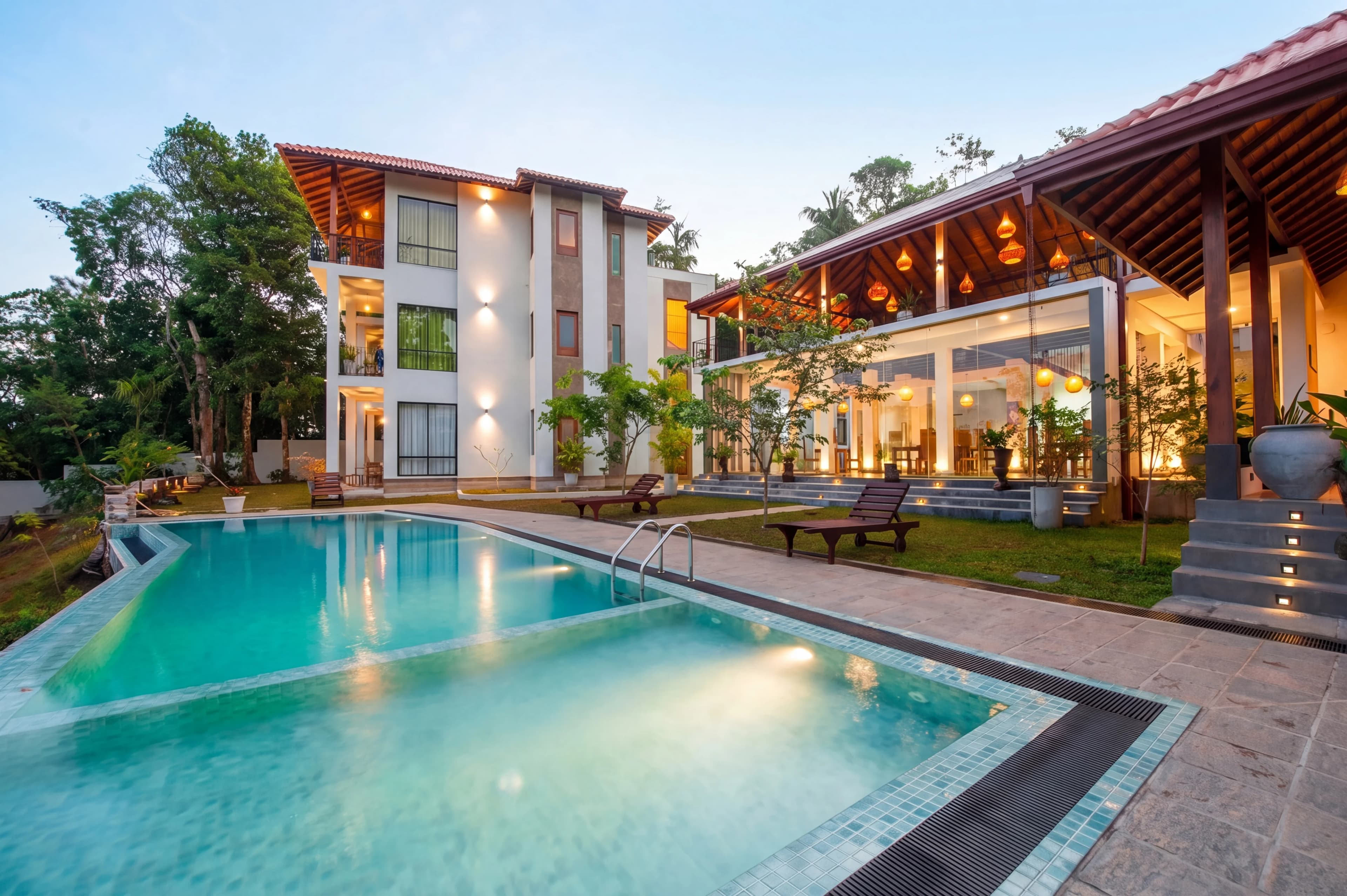
Overcast days don't wait for listings. A property that needs to hit the MLS on Thursday doesn't get rescheduled because Tuesday was grey. Professional photographers know the problem intimately: you shoot a beautiful house on a flat, featureless sky day and every exterior shot comes back with a washed-out grey background that makes the property look gloomy regardless of how well the composition and exposure are handled.
AI sky replacement solves this in 30 seconds. Upload your exterior photos, select a sky style, and fotolabs detects, masks, and replaces the sky while re-lighting the facade to match — producing a coherent, photorealistic result that looks like the property was photographed on a perfect blue-sky day.
No Photoshop. No manual masking. No outsourcing to a retoucher. Just a realistic blue sky on your listing photos, ready for MLS.
Why sky matters more than photographers expect
Real estate buyers looking at portal listings on Zillow, Realtor.com, or Redfin make split-second visual assessments. A grey sky in an exterior shot registers as: cold, dreary, the property might have drainage problems, maybe the neighborhood is industrial. None of these are logical inferences — they're emotional responses to color temperature and atmosphere.
A blue sky with soft clouds registers as: warm, welcoming, good curb appeal, worth clicking. The house hasn't changed. The psychology has.
Data from multiple real estate photography studies shows that blue-sky exterior shots get 25–30% higher click-through rates on listing portals compared to overcast equivalents of the same property. That's not a trivial margin — it directly affects how many buyers schedule showings.
For the photographer, sky replacement means never needing to apologize for shoot conditions again. You control the final result.
How fotolabs sky replacement differs from Photoshop
Photoshop's sky replacement (Adobe Camera Raw, Sky Replacement filter) requires:
- Manual or semi-automated masking of the sky region
- Selection from a limited library of included skies
- Manual adjustment of ground/facade lighting to match
- Manual edge cleanup on complex rooflines and trees
- Saving, exporting, and managing multiple versions
For a professional retoucher, that's 10–20 minutes per image. For an agent doing it themselves, it's a 2-hour learning curve and results that often look obviously edited.
fotolabs handles the entire pipeline in one automated step:
- Sky detection: Semantic segmentation identifies the sky region, including complex edges like branches, chimneys, dormers, and fence posts
- Edge refinement: A dedicated pass refines the boundary at sub-pixel accuracy, eliminating the "halo" or "cut-out" look
- Sky selection: Chooses or applies a replacement sky matched to the light conditions of the source photo
- Facade re-lighting: Adjusts the building's ambient lighting, shadow intensity, and color temperature to match the new sky
- Ground adjustment: Balances driveway, lawn, and landscaping tones to match the new overhead light
The difference is perceptible immediately. Photoshop sky replacements from non-professionals have tells — the most common is a facade that still looks like an overcast day even with a blue sky behind it. fotolabs eliminates this by treating sky replacement as a lighting problem, not just a masking problem.
Sky styles available in fotolabs
fotolabs includes a curated library of photorealistic sky assets selected specifically for real estate marketing:
Crisp blue mid-morning: Perfect blue sky with minimal clouds. Works for any property tier or architectural style. The "safe" choice that consistently outperforms grey.
Soft morning haze: Light blue sky with diffuse warmth, slightly hazy toward the horizon. Best for east-facing facades that would catch early morning light.
Dramatic cumulus: Blue sky with white cumulus clouds providing visual interest without overwhelming the architecture. Popular for suburban homes where the lot and facade benefit from a classic "American suburb" look.
Golden-hour blue: The leading edge of sunset — warm lower sky, clean blue upper sky. Produces a premium feel without full twilight conversion.
Light overcast with breaks: Not all replacements need direct sun. Some properties look best with a soft, even sky that avoids harsh shadows. This option replaces a flat grey overcast with a brightened, slightly varied sky that reads as "nice day, no harsh shadows."
If none of the presets fit your vision, request a custom sky style in a touch-up request and describe what you're looking for.
Handling complex edges: rooflines, trees, and chimneys
The hardest part of sky replacement is not the sky itself — it's the boundary. A property with a clean, straight roofline against a flat background is straightforward. Real properties have:
- Dormers with complex angles cutting into the sky
- Chimneys with soft mortar texture at the edges
- Trees with individual branch and leaf structure in front of the sky
- Overhanging canopy partially covering the roofline
- Utility poles and wires crossing the sky area
General-purpose AI tools (Lightroom AI Masking, Canva Sky Swap) produce visible artifacts at these boundaries — a soft glow around branches, a hard cut edge on a chimney, visible fringing on tree foliage. These artifacts signal to buyers that the photo has been edited and reduce perceived professionalism.
fotolabs is trained on real estate photography specifically, which means the edge refinement pass has learned from thousands of examples of exactly these boundary conditions. Complex edges are handled with a multi-pass approach: first a coarse boundary, then a fine-detail pass that traces individual branches and preserves foliage texture against the new sky.
For shots with extreme complexity (very dense tree canopy blocking 30%+ of the sky, telephone wires across the entire frame), touch-up requests are available and most are resolved within minutes.
Aerial and drone photo sky replacement
Drone photography has become standard for listing marketing — coverage from 200–400 feet shows lot size, neighborhood context, and proximity to amenities in a way ground-level photos can't. Aerial shots also have sky challenges:
- Large sky areas dominate the upper 30–40% of the frame
- Overcast from drone altitude looks even more featureless than ground level
- Re-lighting on rooftops is critical — an overcast sky above an aerial shot but a sunny-looking rooftop in a replacement looks obviously fake
fotolabs handles aerial shots with the same pipeline, adapted for the aerial perspective: the sky boundary detection understands that rooflines appear foreshortened from above, that trees at altitude have different edge profiles, and that the ambient light adjustment on rooftops and landscaping needs to account for overhead lighting direction rather than horizontal.
Sky replacement and MLS compliance
Sky replacement occupies an interesting position in MLS photo rules — it's neither clearly mandated nor clearly prohibited in many markets.
The argument for permissibility: replacing a grey sky with a blue sky corrects an uncontrollable weather condition, not a property condition. The home looks exactly the same; the atmospheric conditions above it look better. This is analogous to using a fill flash to lift shadows — a technical correction, not a material misrepresentation.
The argument for disclosure: any significant departure from what was captured at the time of the shoot constitutes an enhancement, and buyers deserve to know.
In practice: Most MLS boards don't specifically require sky replacement disclosure, but some (particularly those with detailed virtual staging rules) include it under "materially altered photos." When in doubt, label the photo "Sky Enhanced" or check with your local board.
fotolabs stores both the original and the sky-replaced version. If your market requires disclosure, you can include the original in the photo sequence with an "Enhanced" label on the sky-replaced version.
Pricing
Sky replacement is included in all fotolabs per-listing plans:
- Essential ($25/listing): 50 images, no watermark, 3 touch-ups
- Ultimate ($30/listing): 100 images, 5 touch-ups, priority processing
Compared to outsourced sky replacement: $2–$5/image from editing services, with 12–48 hour turnaround. A 10-exterior shoot at BoxBrownie rates: $20–$50. Same result from fotolabs: included in your listing fee.
Try AI sky replacement free
Upload one of your exterior listing photos and run sky replacement. Free plan includes 30 images per listing, watermarked. Test it on your actual property photography — complex rooflines, trees, drones — before committing to a paid plan. No credit card required.