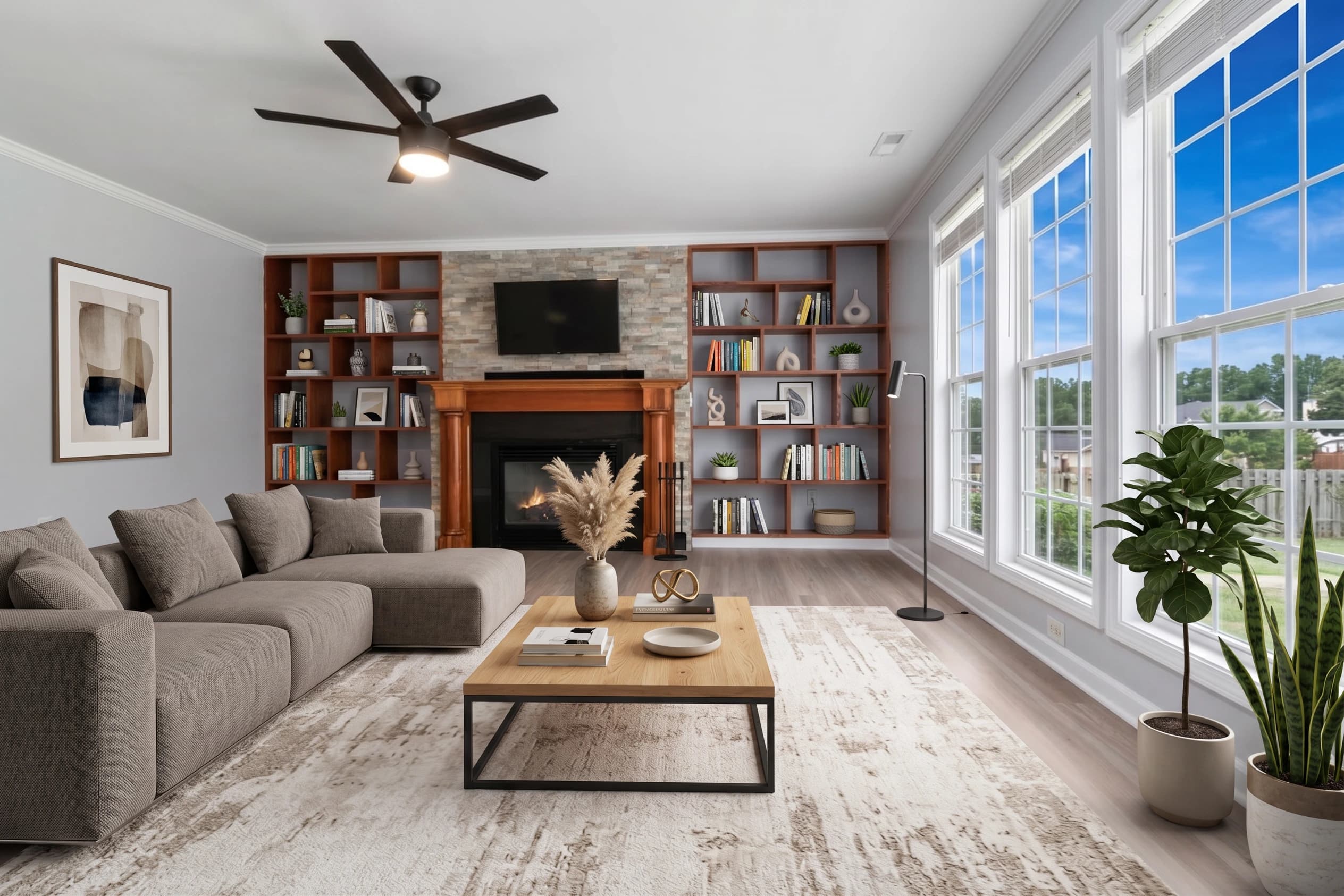
Empty rooms don't sell homes — they sell the absence of a home. Buyers walk into a vacant listing and feel cold, distant, unable to picture themselves living there. That's the problem virtual staging solves, and for decades the only way to solve it was by hiring a service that charged $25–$75 per room and took 24–48 hours to deliver. AI virtual staging changes that completely.
fotolabs is AI virtual staging software built for real estate agents and photographers who need photorealistic, MLS-ready staged images in under 30 seconds — at a fraction of the cost of outsourced services. Upload a photo of any empty room, pick a furniture style, and our model generates a fully staged version with realistic furniture, décor, lighting, and depth — preserving the actual geometry of the room (walls, windows, doors, flooring) so the result is honest and compliant.
This page covers exactly what fotolabs virtual staging does, how it compares to the alternatives, and what to expect when you ship staged photos to your MLS.
How fotolabs AI virtual staging actually works
There are two technical approaches to virtual staging on the market today: manual photo compositing (a designer drops 3D-rendered furniture into your photo in Photoshop) and AI-generated staging (a generative model produces the staged room from your input photo). fotolabs uses the AI-generated approach, but trained specifically on real estate photography rather than generic image generation.
What that means in practice: when you upload a photo of an empty bedroom, our model recognizes the room as a bedroom (not a living room with a bed in it), identifies the walls, windows, baseboards, and light sources, then generates furniture that respects all of those constraints. The bed doesn't float in mid-air. The nightstand doesn't clip into the wall. The shadows match the natural light in the original photo. That's the difference between AI virtual staging that looks like a listing photo and AI virtual staging that looks like a mistake.
The processing pipeline is:
- Upload — drop in your empty-room photo (JPG, PNG, or RAW). Maximum 50 MB.
- Pick a style — Virtual Stage template, with optional aesthetic direction.
- Wait ~30 seconds — the model generates the staged version.
- Download — 4K MLS-ready export, watermark-free on paid plans.
If something looks off, request a touch-up. Most touch-ups finish within minutes.
Why agents and photographers are switching from outsourced services
Traditional virtual staging companies have a cost-structure problem. They employ designers who manually composite furniture into your photo, and that human labor costs $25–$75 per room. For a 5-bedroom listing where you want every room staged, that's $125–$375 — per listing. And the turnaround is 24–48 hours, which is exactly the window when a fresh listing should be hitting the MLS.
AI virtual staging cuts the cost by an order of magnitude and the time by two orders. fotolabs Essential is $25 per listing for 50 staged images. Ultimate is $30 per listing for 100 staged images. Monthly subscribers get 10 listings included with rolling credits. There's no per-room markup, no rush-fee, and no waiting room.
The result is that agents who used to ration virtual staging to "only the best room" can now stage every room in the listing — which is exactly what buyers want when they scroll through 30 photos on Zillow.
What virtual staging looks like when it works (and when it doesn't)
The biggest quality difference between AI virtual staging services is geometry fidelity. Cheap or generic AI staging tools will warp the walls, misalign the floor lines, or place furniture that clearly violates the room's physics. Photos like that get flagged by MLS reviewers, get rejected by buyers, and damage your professional brand.
fotolabs is trained on real estate photography specifically, which means:
- Vertical lines stay vertical (no warped doorframes)
- Floor and ceiling planes are respected (no carpet bleeding into the wall)
- Light direction is preserved (shadows fall where windows are)
- Style consistency holds across rooms (the living room and dining room look like they belong in the same house)
When it works — which is the vast majority of the time on clean, well-lit empty-room photos — it's indistinguishable from physical staging. When the source photo has problems (heavy shadows, partial obstructions, bad perspective), the result can show artifacts. The fix is usually a quick touch-up request or running the photo through HDR processing first.
Best room types for AI virtual staging
Some rooms stage better than others. Here's what we've learned from millions of listing photos:
Stages well:
- Living rooms (clear focal point, rectangular)
- Master bedrooms (predictable furniture placement)
- Dining rooms (table is the obvious centerpiece)
- Home offices (desk + chair = clean composition)
- Bonus rooms / dens (flexible furniture options)
Stages OK:
- Guest bedrooms (smaller scale needs care)
- Finished basements (lighting tricky)
- Outdoor patios (sky and greenery limit options)
Don't stage:
- Kitchens (fixtures are the visual)
- Bathrooms (already furnished)
- Garages (not a marketing surface)
- Storage rooms (irrelevant to buyer)
A typical 4-bedroom, 3-bath, 2,500-sq-ft listing might get virtual staging on 8–10 rooms total. With fotolabs that's included in the per-listing price.
MLS compliance and disclosure
Almost every MLS board in the US and Canada requires that virtually staged photos be disclosed. The standard is to label the photo caption "Virtually Staged" and include a note in the listing remarks. Some boards (Bright MLS, Stellar MLS) have specific language requirements — check your local rules.
fotolabs supports this workflow by giving you both the original empty-room photo and the staged version. Some agents publish both side-by-side. Others publish only the staged version with the disclosure label. Either approach is compliant as long as the staging is disclosed.
What's not compliant under any MLS rules: modifying the actual home (adding rooms, changing walls, removing fixtures, altering the kitchen). fotolabs virtual staging only adds furniture and décor — it never alters the structure of the home.
Pricing and how it compares
Per-listing pricing on fotolabs:
- Free plan: 30 images per listing, watermarked output. Good for trying the platform.
- Essential ($25/listing PAYG or $14/listing on monthly): 50 images per listing, no watermark, 3 touch-ups, all AI features including virtual staging.
- Ultimate ($30/listing PAYG or $25/listing on monthly): 100 images per listing, 5 touch-ups, priority processing.
Compare that to outsourced virtual staging at $25–$75 per room, with 24–48 hour turnaround. For a typical 8-room listing, you're saving 60–80% on cost and getting same-session delivery.
Try AI virtual staging free
The fastest way to see whether fotolabs virtual staging works for your listings is to upload one of your own empty-room photos. The free plan gives you 30 images per listing, watermarked — enough to evaluate the quality on your actual properties before committing. No credit card required.
If the result works for your market and your photography style, upgrade to a per-listing plan or a monthly subscription. Cancel anytime, credits roll over, and every photo you upload stays on our infrastructure for life — no storage limits, no expiry.