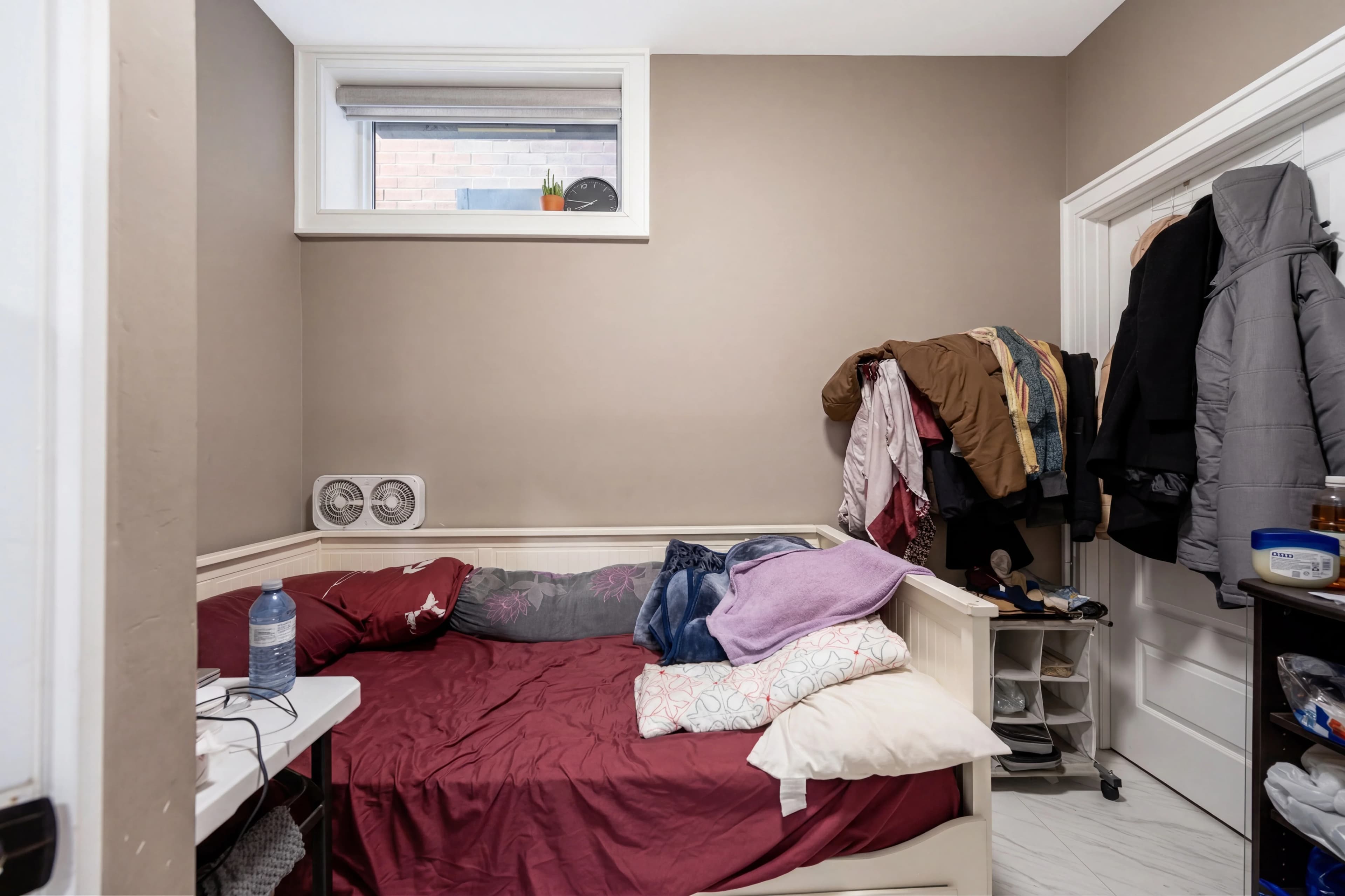
Every listing photographer and agent has a version of this story: you spend 90 minutes photographing a beautiful property, get the photos back, and there's a neighbor's truck parked across the driveway in the hero exterior shot. Or the homeowner forgot to move the trash cans. Or there's a garden hose coiled on the front path. Or the children's bikes are still in the garage.
These things happen. Rescheduling the shoot costs time and money. Asking the homeowner to fix it then reshoot creates friction and delay. And leaving the objects in the photos is the worst option of all.
fotolabs AI object removal eliminates the problem in 30 seconds. Select or describe the unwanted object, and the AI reconstructs the area behind it with realistic content — clean driveway, clear lawn, uncluttered countertop — that matches the surrounding scene.
No Photoshop. No outsourcing. No rescheduling. Just clean photos.
What you can remove from listing photos
Object removal in real estate photography covers a broader range of scenarios than most people initially expect:
Exterior objects:
- Cars and trucks parked in driveways or on the street in front of the property
- Trash cans, recycling bins, yard waste bags
- Garden hoses, sprinkler equipment, extension cords
- Children's bikes, scooters, outdoor toys
- For-sale or realtor signs (when you want a version without signage)
- Utility meters, satellite dishes, visible cable boxes
- Visible dumpsters or construction debris from neighboring properties
- Moving trucks or boxes during a transitional shoot
Interior objects:
- Countertop clutter: small appliances, mail stacks, condiment bottles
- Visible cords behind entertainment centers
- Personal photos, diplomas, religious items (for seller privacy or staging)
- Cluttered bookshelves (remove visible personal items, keep the books)
- Visible smoke detectors, carbon monoxide detectors in awkward positions
- Pet items: food bowls, litter boxes, dog crates
- Staging props that weren't cleared before the shoot
- A single piece of furniture that makes a room look too small
Technical objects:
- Camera reflection removal (see our dedicated Camera Removal feature)
- Visible photographer equipment in mirrors or windows
- Visible light stands or reflectors in wide-angle shots
How AI inpainting works in fotolabs
Object removal uses a technique called AI inpainting — generative reconstruction of a masked image area using the surrounding context as reference.
When you mark an object for removal:
- The model creates a mask over the selected region
- It analyzes the surrounding area: texture, perspective, lighting direction, depth cues
- It generates content for the masked region that is consistent with what would logically appear behind the removed object
- The generated content is blended seamlessly with the surrounding pixels
The critical difference between AI inpainting and traditional clone-stamp or content-aware fill is scene understanding. A car sitting on a driveway has the driveway underneath it. Photoshop's Content-Aware Fill tiles nearby driveway pixels into the masked area — it might get the texture right but often mismatches the perspective lines, the crack patterns, the curb edge.
fotolabs understands that driveways have perspective, that concrete has grain direction, that the shadow of a tree that extends across the area around the car would logically continue across where the car was. The reconstruction uses the full scene context rather than just adjacent pixels.
Exterior object removal: the most common use case
Cars in driveways are the single most frequent object removal request across all real estate markets. The reason is simple logistics: not every homeowner remembers to park off-site for the photo shoot, and not every neighbor's car on the street can be controlled.
The driveway reconstruction quality in fotolabs is calibrated specifically for real estate photography. The model has learned:
- Concrete and asphalt textures at real estate photography distances (30–50mm equivalent focal length)
- Perspective foreshortening on driveway surfaces — near edges need more texture compression than far edges
- Tonal variation in concrete (weathered sections, oil stains, expansion joints) that makes a reconstruction feel real rather than perfectly clean
- Shadow continuity — if a tree casts a shadow across the driveway, that shadow continues through the formerly-car-occupied area
A car removal result that passes a buyer's scrutiny has all of these elements right. One that fails has a too-clean, perfectly uniform patch that immediately reads as edited.
Interior declutter: preparing for virtual staging
One of the most powerful two-step workflows in fotolabs is object removal followed by virtual staging.
Virtual staging works best on empty rooms. But many listing shoots happen while the homeowner is still living in the property — furniture is present, personal items are everywhere, the room is fully occupied. Running virtual staging directly on an occupied room produces results that are technically staged but visually confusing — AI-generated furniture mixed with existing items.
The workflow:
- Object removal pass: Remove all furniture, personal items, and clutter from the room, leaving clean floors, walls, and windows
- Virtual staging pass: Apply the Virtual Stage template to the now-empty room, adding photorealistic staged furniture and décor
The two-pass result is cleaner, more professional, and more sellable than either: the original occupied room, or virtual staging applied directly to a cluttered space.
Complex removal scenarios: what to expect
Large objects (full-width RV, delivery truck): These work well when the driveway or background behind the vehicle is relatively uniform. Results are excellent for standard driveways. Complex backgrounds with distinctive features (unique patterned brickwork, pool visible behind the vehicle) may require a touch-up to ensure the reconstruction is accurate.
Overlapping objects: A trash can partially behind a bush, or a car partially blocking a front step. The model handles partial occlusion by reconstructing both the foreground area and the partially-visible background. Quality is generally excellent; extreme occlusion cases (object blocks >60% of another important feature) may need touch-up.
Interior cord removal: TVs and entertainment centers with visible cables are one of the messiest object removal challenges because the cables cross backgrounds of very different types (wall, floor, baseboard). fotolabs handles this with a fine-detail pass on linear objects, but very dense cable tangles may produce better results with two passes: remove the TV first, clean up residual cables second.
Reflective surfaces: Object removal near mirrors, windows, and polished floors requires removing both the object and its reflection. The model detects reflected regions and handles them simultaneously. See also our dedicated Camera Reflection Removal feature for the specific case of photographer reflections.
Pricing
Object removal is included in all fotolabs per-listing plans:
- Free: 30 images per listing, watermarked
- Essential ($25/listing): 50 images, no watermark, 3 touch-ups
- Ultimate ($30/listing): 100 images, 5 touch-ups, priority processing
Outsourced object removal: $2–$8 per image from professional retouching services, 12–48 hour turnaround.
For a 10-photo exterior batch with object removal on each: $20–$80 outsourced vs. included in your fotolabs listing fee.
Try AI object removal free
Upload an exterior or interior listing photo and test fotolabs object removal on your actual photos. The free plan includes 30 edited images per listing, watermarked — enough to see the quality on your specific scenarios before committing. No credit card required.