A winter listing photo tells buyers the wrong story. Snow on the roof and driveway, a white lawn, bare trees, and a flat gray sky all read as cold, dated, and off-season — even when the home goes live in spring or summer. Buyers scrolling a portal want to picture themselves moving in now, and a snowbound exterior quietly works against that. The usual fix is to wait for the snow to melt and reshoot, which means weeks of delay, a second photographer fee, and a listing that sits with weak photos in the meantime.
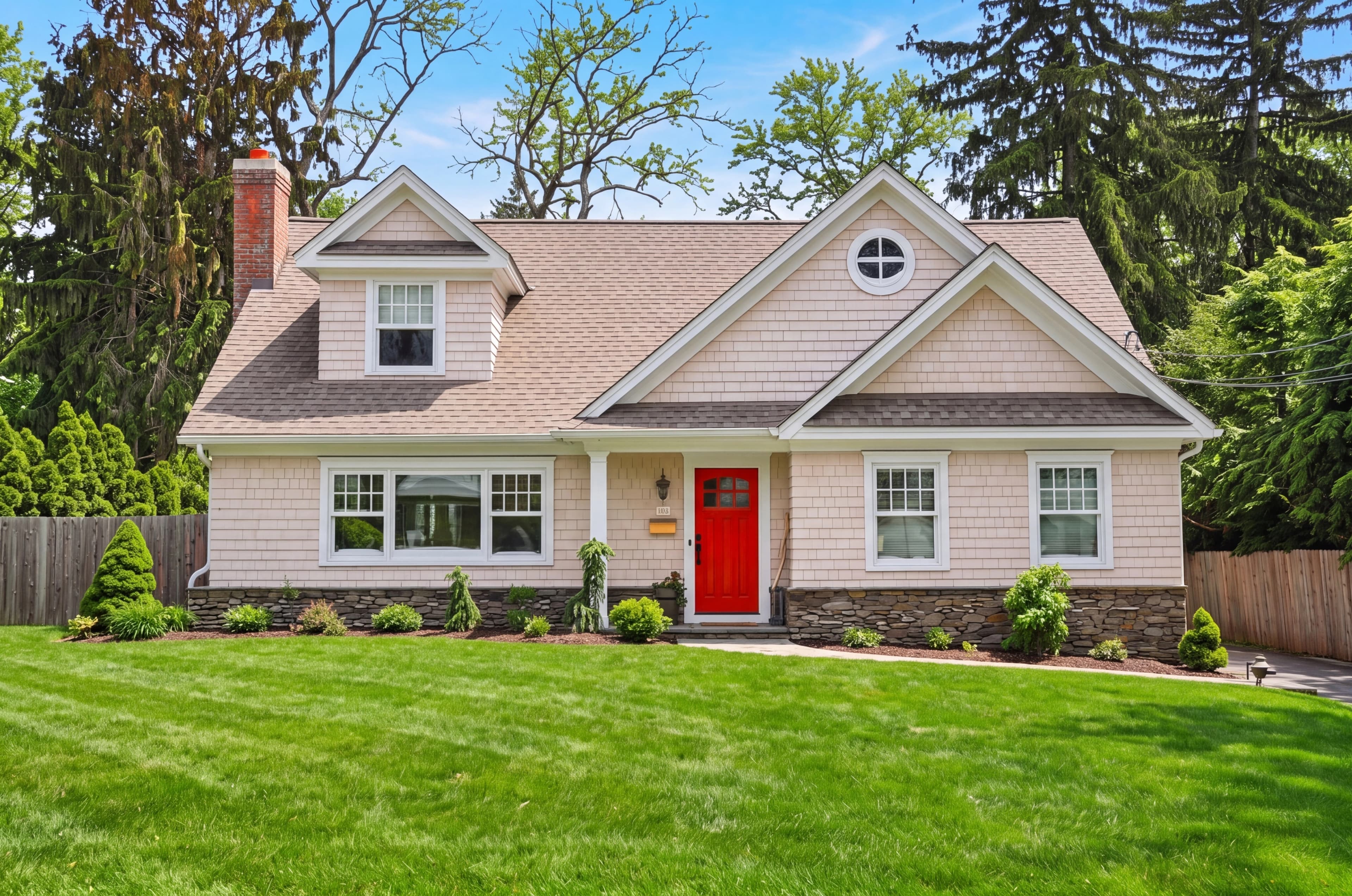
AI snow removal removes that constraint. Upload any winter photo, run fotolabs snow removal, and get its summer equivalent in about 30 seconds: snow cleared from the roof, lawn, and driveway, surfaces rebuilt underneath, trees and landscaping restored to green, and a clean blue summer sky. It works on exteriors and on interiors where snow shows through the windows or the light reads cold. Ready for MLS.
This page covers how fotolabs snow removal works, what makes a good source photo, how it handles interior shots, how the results compare to reshooting in summer, and what MLS disclosure looks like for seasonally edited photos.
Why off-season listing photos cost you
Listing photography and listing timing rarely line up. A home photographed in January but listed in April, a relocation seller who has to list the moment they're transferred, a vacant property carried through the winter, a builder shooting a spec home in the snow — all end up marketing a summer-priced home with winter photos. The damage is measurable:
Lower click-through on portal thumbnails: A snowy, gray exterior reads as cold and unappealing in a small Zillow or Realtor.com thumbnail, where a bright summer shot with green landscaping pulls the click.
Signals a stale listing: Buyers and agents notice snow in the photos of a spring or summer listing and assume the home has been sitting since winter — exactly the wrong impression, even when the listing is brand new.
Hides the property's best features: Snow buries the lawn, garden beds, hardscaping, and curb appeal the seller paid for. A white yard shows none of it.
Forces a costly reshoot: Waiting for the melt and sending a photographer back out adds $150–$400 and weeks of delay — time the listing spends online with weak photos.
How fotolabs AI snow removal works
The winter-to-summer conversion involves several visual operations that happen together:
1. Snow detection and surface reconstruction: The model identifies snow on the roof, lawn, driveway, walkways, and landscaping, removes it, and rebuilds the surfaces underneath — shingles and roofline detail, paved or gravel driveway, stone walkways, and soil or mulch in the beds. It reconstructs what the snow was covering rather than leaving flat blank patches.
2. Foliage and landscape restoration: Dormant white or brown lawns are restored to green grass. Bare deciduous trees and shrubs are filled back in with realistic summer leaves, and garden beds are greened up. Density and color are calibrated to the property and region so the yard looks like a genuine summer day.
3. Sky replacement and relighting: The flat overcast winter sky is replaced with a clean blue summer sky, and the whole scene is relit to match summer sun — warmer color temperature, brighter ambient light, and natural shadows in place of the cold blue cast of a snow-day shot.
Processing takes roughly 30 seconds per photo. Output is full-resolution and MLS-ready on paid plans, and your sky-style preference is honored so the new sky matches the look you use across the rest of the listing.
What makes a good source photo for snow removal
Most winter exteriors convert well. Understanding what the model works with helps you get the best results:
Ideal source photos:
- Even, overcast daylight (flat snow-day lighting converts cleanly to summer ambient)
- Front-facing shots with full facade and yard visible
- Snow that sits on top of surfaces rather than burying the entire structure
- Clear view of the roofline, driveway, and landscaping the model needs to rebuild
- A clean property (no plows, snowblowers, or work vehicles in frame)
Sources that convert well with minor limitations:
- Bright, sunny snow shots with hard blue shadows (shadows are warmed and softened, with occasional minor inconsistencies)
- Wide-angle shots with lens distortion (handled, with rare edge artifacts on sky replacement)
- Partially snow-covered landscaping (greenery is inferred from the visible portions)
Sources that produce acceptable but not optimal results:
- Deep snow that completely buries the lawn, beds, and lower facade (less underlying detail to reconstruct)
- Dusk or near-dark winter shots (too little light to rebuild surfaces accurately)
- Heavy active snowfall obscuring the structure
Interior shots: clearing the winter look
Snow removal isn't only for exteriors. Interiors shot on a snowy, overcast day come back cold and blue, with white snow visible through every window and bare trees outside. fotolabs handles those too: snow through the windows is removed, the outdoor view is restored to green summer landscaping, and the cold blue-gray light is warmed to a bright, natural summer tone. A whole shoot — exterior and interior — comes back looking like it was photographed on the same summer afternoon, so the listing reads as one consistent set instead of a mix of seasons.
Snow removal vs. reshooting in summer
The honest comparison:
Reshooting in summer:
- Requires waiting weeks or months for the snow to melt
- Adds a second photographer fee ($150–$400) and another scheduling round
- Often impossible — relocation timing, vacant carrying costs, and market timing rarely allow it
- Highest quality ceiling: a real summer shoot of an immaculate yard is unbeatable
fotolabs snow removal:
- Available immediately, from any winter photo
- Included in per-listing pricing ($25/listing)
- Consistent across every exterior and interior in the shoot
- Photorealistic but synthetic — technically "enhanced" by MLS definitions and disclosed as such
For the vast majority of residential listings that simply got photographed in the wrong season, snow removal delivers summer photos now instead of a reshoot later. For ultra-premium properties where buyers scrutinize every image, an actual summer reshoot remains the higher standard — many agents use fotolabs to carry strong photos through the off-season and reshoot the hero exterior once the landscaping is in full bloom.
MLS compliance for seasonally edited photos
The rules vary by board, but the universal standard is the same as for any major alteration: disclose any photo that has been significantly changed from the original capture. A season change qualifies and requires disclosure in most markets.
Typical disclosure language:
- Photo caption: "Seasonally enhanced" or "Virtual summer"
- Listing remarks: "Exterior shown in summer is a virtual rendition"
- Some boards: "Digitally enhanced"
fotolabs keeps both the original winter photo and the summer version in every project. Standard practice is to publish the summer shot as the hero with the required caption and retain the unedited original for compliance. Check your local MLS rules — Bright MLS, Stellar MLS, and CRMLS each have specific requirements for virtually enhanced photos.
Pricing comparison
Traditional seasonal (winter-to-summer) editing services:
- Outsourced per image: $8–$25/photo
- A 5-image exterior set: $40–$125, 24–48 hour turnaround
- A dedicated summer reshoot: $150–$400, plus weeks of waiting for the melt
fotolabs:
- Included in Essential plan ($25/listing for 50 images)
- Included in Ultimate plan ($30/listing for 100 images)
- Monthly subscribers: 10 listings/month included
For a typical 3–5 image exterior set: included in your listing fee, delivered in about 30 seconds per photo.
Try AI snow removal free
Upload one of your winter listing photos and see how fotolabs snow removal performs on your actual properties. The free plan includes 30 edited images per listing, watermarked — enough to evaluate the quality across several exterior and interior angles before committing. No credit card required.