Vacant units cost money. Every day a unit sits unoccupied is lost revenue — the mortgage, insurance, and maintenance continue regardless of whether the rent is coming in. For property managers responsible for 20, 50, or 200 units, vacancy periods are the most direct driver of portfolio underperformance.
The fastest way to reduce vacancy periods is to get more inquiries faster. The fastest way to get more inquiries is to have better listing photos than competing vacancies.
This is not a new insight. Property managers and landlords have known for years that professional photography reduces time-to-lease. The barrier is cost and consistency. At $150–$350 per professional photo shoot, photographing every unit at turnover is difficult to justify for a $1,200/month apartment. The economics work at luxury rates; they get harder at market-rate and affordable rental properties.
fotolabs makes professional-quality editing accessible for every unit at every price point. $25/unit for HDR editing, color correction, perspective correction, virtual staging, and object removal. Delivered in minutes. Stored permanently for reuse at the next turnover.
The vacancy cost calculation
To understand the ROI of better listing photos, the math starts with your daily vacancy cost:
Example: $1,500/month unit = $50/day vacancy cost
If professional listing photos reduce time-to-lease by 5 days: $250 in recovered revenue from a $25 investment.
Even at smaller scale — a $900/month unit where better photos save 3 days of vacancy: $90 recovered from a $25 cost.
The ROI of photo quality for property managers is, for most portfolios, among the highest available marketing investments. The calculation is simple and direct: days off vacancy × daily rate vs. editing cost.
What fotolabs does for rental listings
HDR correction on interior shots: Apartment and rental unit photography has some of the worst exposure conditions in real estate. Small rooms with single ceiling fixtures, basements with no natural light, studios where the only window is behind the camera. HDR correction normalizes these challenging conditions into properly exposed, inviting photos that show the unit accurately.
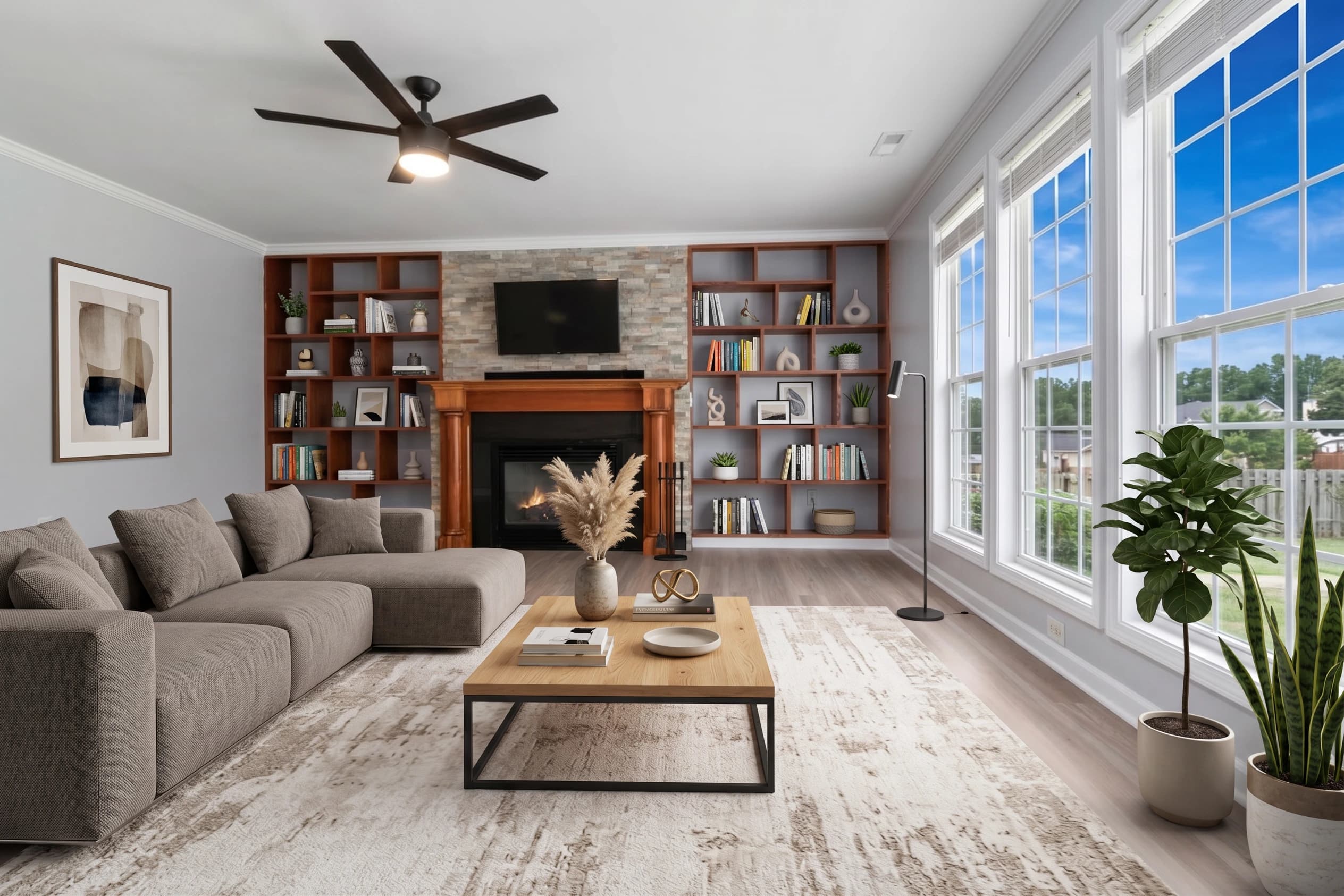
Virtual staging for vacant units: Empty apartments look smaller than they are. A furnished studio looks cozy; an unfurnished one looks like a closet. Virtual staging is the most cost-effective tool for making vacant units look livable. For $25 (included in the per-listing plan), every empty room in the unit can be virtually furnished and styled.
The impact is particularly significant for:
- Studio apartments and one-bedrooms where buyers can't easily visualize furniture placement
- Unusual floor plans that don't read intuitively without furniture for scale
- New construction or recently renovated units that will be leased unfurnished
Object removal for between-tenancy cleanup: Tenant turnover leaves things behind. A previous tenant's curtain rods. Residual items in the utility room. Cigarette disposal units on the exterior. Maintenance equipment left in the frame during a rushed shoot. Object removal handles these without a reshoot.
Sky replacement and exterior cleanup: Exterior marketing photos for apartment buildings, townhomes, and single-family rentals benefit from sky replacement and perspective correction. A grey exterior photo on a cloudy shoot day becomes a blue-sky presentation. Parked cars in front of the building can be removed. The building exterior looks its best regardless of shoot conditions.
Consistent color across the full property: A 40-unit apartment building where every unit uses the same paint and flooring should look consistent across all listing photos. fotolabs project-level color calibration produces matching color across all units processed in the same workspace, creating a professional, consistent portfolio presentation.
Workflow for property management teams
Property managers typically don't have dedicated photographers. Photos are taken by leasing agents, maintenance staff, or the property manager themselves during turnover inspection. The photos are functional but rarely professional-quality.
fotolabs fits into this workflow without changing who takes the photos:
Current workflow (manual editing or no editing):
- Maintenance or leasing agent photographs the vacant unit
- Photos uploaded to listing platform raw, or sent to an outsourced editor
- Edited photos returned in 24–48 hours
- Listing goes live
fotolabs workflow:
- Maintenance or leasing agent photographs the vacant unit (same as before)
- Photos uploaded to fotolabs project (5 minutes)
- Edit options selected, processing runs (15–20 minutes)
- Edited photos downloaded and listing goes live (same session)
The difference: same-day listing goes live vs. next-day or later. For a unit that turns on a Tuesday, listing it Tuesday evening instead of Wednesday means 24 hours less vacancy exposure.
Managing a large portfolio
For property managers with 20+ units:
Workspace team access: Multiple team members (leasing agents, admin, property manager) share one workspace. Each person can create projects, upload photos, and access the editing tools without a separate license or account.
Project organization: Name projects by address and unit number. All photos from that unit across all tenancy cycles are in one place. When unit 204 turns over again in 18 months, previous photos are available as reference.
Batch processing: Multiple unit projects process simultaneously. Upload photos from 5 vacant units on a Monday morning; all 5 are ready by Monday afternoon.
Credit management: Monthly subscription credits are shared across the workspace. High-turnover months draw more credits; slower months run below average. The admin can see usage reports and add credits as needed.
Commercial property listings
fotolabs handles commercial as well as residential listing photography:
Office spaces: Open-plan offices with mixed fluorescent and window lighting are among the hardest spaces to photograph well. HDR and color correction produce professionally-lit office photos that look like marketing material rather than a maintenance inspection report.
Retail units: Storefront exterior shots benefit from sky replacement and perspective correction. Interior retail spaces often need significant HDR work to balance ceiling lighting with window glare.
Industrial/warehouse: HDR correction is essential — the dynamic range in a warehouse space (bright loading dock doors vs. dark interior) exceeds what any single exposure can capture. fotolabs handles this in the same processing pass as residential.
Pricing for property managers
Per-listing ($25–$30): Ideal for portfolios with low, unpredictable turnover. Pay only when you have a vacancy.
Monthly subscription ($140/month for 10 listings): Best for portfolios where 10+ units turn per year (most properties at 10%+ annual turnover). Credits rollover monthly.
ROI example for a 50-unit portfolio at 15% annual turnover:
- 7–8 units turning per year
- Average time-to-lease reduction: 4 days with professional photos
- Daily vacancy cost per unit: $40 (average $1,200/month)
- Recovered revenue: 8 units × 4 days × $40 = $1,280/year
- fotolabs cost: 8 units × $25 = $200/year
- Net benefit: $1,080/year
Start reducing your vacancy periods today
Create a free fotolabs account and upload the photos from your next vacant unit. The free plan includes 30 processed images per listing, watermarked — enough to see the quality before paying anything. If the improvement is worth $25 to reduce your time-to-lease, the math takes care of itself.