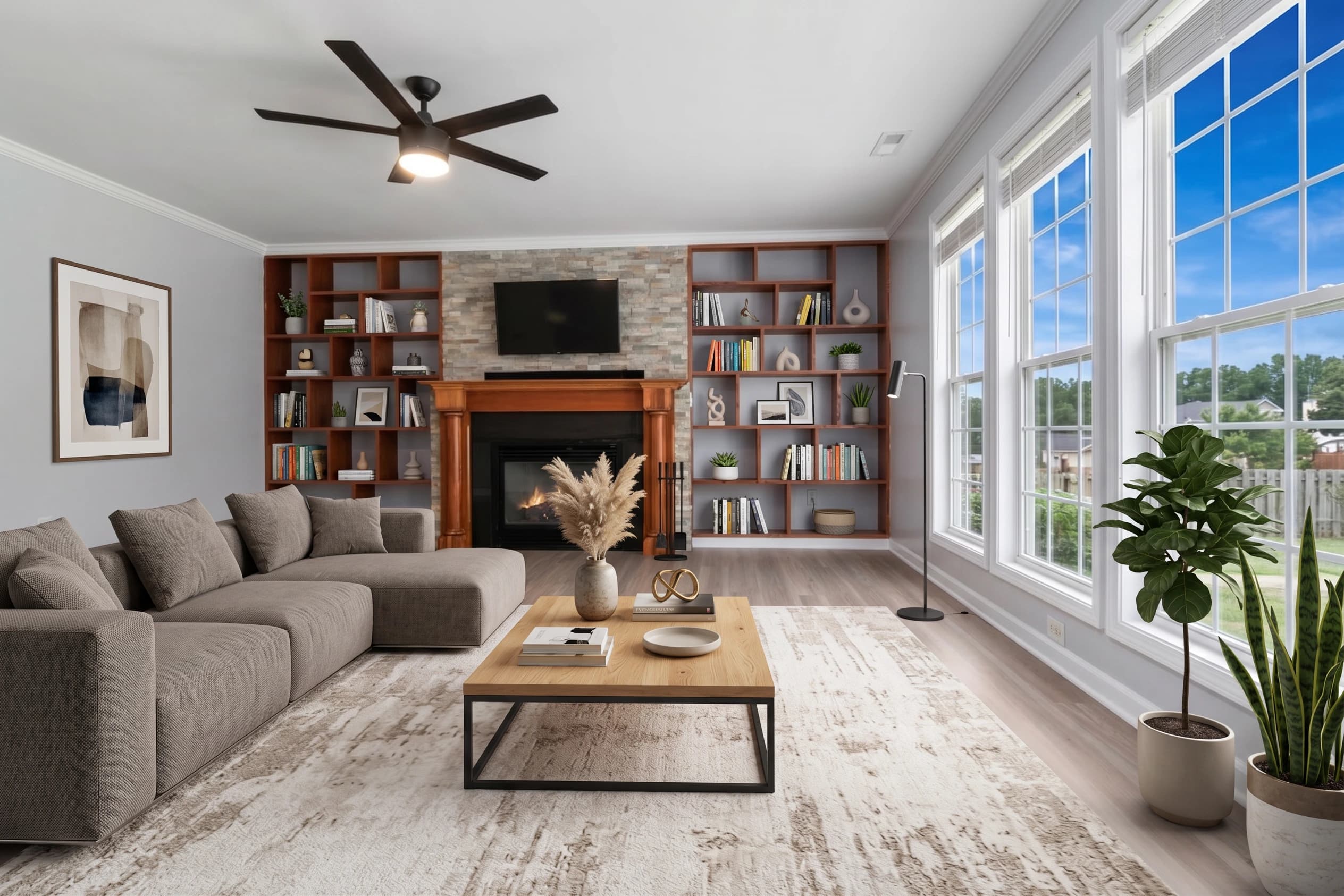
Your Airbnb listing competes with hundreds or thousands of properties in your market. The primary selection mechanism is visual — guests browsing listings spend less than 10 seconds on each thumbnail before deciding whether to click. The properties that get clicks have one thing in common: great photos.
Professional real estate photography — the standard for serious Airbnb hosts — costs $200–$400 per session. For a host managing one or two properties, that's a significant marketing investment that makes sense when the nightly rate is $200+, but feels hard to justify for a $75/night studio.
fotolabs is AI photo editing software that gets phone photos to professional quality for $25. HDR correction, color correction, perspective straightening, sky replacement, and object removal — all the editing a professional photographer would apply to a listing shoot, delivered in minutes.
For Airbnb hosts who already have decent photos but need polish, it's a $25 upgrade. For hosts starting from scratch with a new property, it's the most cost-effective path to a competitive listing presentation.
Why listing photos are the highest-ROI investment for Airbnb hosts
The Airbnb algorithm favors listings with high click-through rates and booking rates. Photos drive clicks. Clicks drive bookings. Bookings drive ranking. It's a reinforcing loop.
The inverse is also true: a listing with flat, unedited, poorly lit phone photos ranks lower, gets fewer clicks, gets fewer bookings, and eventually gets deprioritized in search. The host interprets this as "my market is too competitive" when the actual cause is presentation quality.
The math for a concrete example:
- Current listing: 60% occupancy at $100/night = $1,800/month
- Improved photos → 70% occupancy at $100/night = $2,100/month
- Difference: $300/month additional revenue
- Cost of fotolabs photo editing: $25 one-time for the photo set
Even at a conservative 5% improvement in occupancy rate, a $25 investment in photo quality pays back in the first week.
What fotolabs does to your Airbnb photos
HDR correction — the most visible improvement on phone photos
Phone cameras expose for the brightest part of the frame. In a bedroom with a window, the camera either blows out the window or underexposes the room. The result is either a too-dark room or a washed-out white where the window should show outdoor views.
fotolabs HDR correction balances the exposure zone-by-zone: the room interior is properly lit, the windows show the actual outside view, shadows are lifted to reveal detail without looking overexposed. For hosts who shoot their own photos with an iPhone, this is the single biggest quality improvement.
Color correction — making your space look its actual best
Interior lighting — LED strips, warm Edison bulbs, cool daylight from windows — creates mixed color temperatures that phone cameras handle inconsistently. The living room looks yellow. The bathroom has a slight green cast. The kitchen looks different in every photo.
fotolabs color correction normalizes white balance across all photos in the project, producing consistent, accurate color that makes your space look its actual best rather than a phone's approximation of it.
Object removal — clean photos in any condition
Short-term rental hosts often shoot between guest stays. That means: cleaning products left on the counter, a trash bag by the door, a car in the driveway that belongs to the neighbor. Object removal handles all of this without a reshoot.
For hosts who shoot during setup rather than during a freshly cleaned state: remove the vacuum cleaner, the staging cart, the personal items that weren't cleared from the space. The photo should show the listing at its best presentation — object removal gets you there from whatever conditions you shot in.
Sky replacement — blue sky on your exterior shots
The exterior of your property is often the hero image in Airbnb's search results. A grey, overcast exterior photo loses to a blue-sky exterior in click-through every time.
fotolabs sky replacement takes your exterior shot — regardless of what the weather was when you took it — and delivers a clean blue-sky version. No reshoot needed.
Virtual staging — making sparse spaces look inviting
Some vacation rental properties are functionally furnished but aesthetically sparse. The bed is there, but there's no art on the walls. The living room has a couch and a TV but nothing else. The deck has two plastic chairs.
Virtual staging adds décor, art, and styled furniture to make spaces look lived-in and inviting. For vacation rental purposes, the staging should represent a realistic version of what the space could look like — not a completely different interior.
Most practical use for Airbnb hosts: add art to bare walls, style countertops with simple décor, make dining areas look set and inviting. These are small additions that significantly improve first impressions without misleading guests about what they're actually booking.
Practical shooting guide for Airbnb hosts
To get the best results from fotolabs processing, follow these shooting practices:
Shoot at the right time of day: Morning to early afternoon light is most flattering for south and east-facing rooms. Late afternoon for west-facing rooms. Avoid harsh midday shadows for exteriors.
Declutter before shooting: Remove personal items, visible clutter, and anything that makes the space look less than its best. Object removal can fix some of these, but shooting clean produces better base photos.
Use your phone's wide-angle mode: The 0.5× wide angle on modern iPhones is better for rooms than the standard 1× lens. More of the room in frame, better conveying space.
Shoot from corners: Position yourself in one corner of the room to maximize the visible depth and width of the space.
Cover everything: Kitchen, every bedroom, every bathroom, living areas, outdoor spaces, any unique features (fireplace, hot tub, pool view, mountain view). Guests want to see the full property before booking.
Exterior from the street: The main exterior shot should be from the street or driveway, showing the full front of the property. This becomes your hero image after sky replacement.
Photo refresh: update your listing annually
Airbnb research shows that listings with recently updated photos get better click-through rates than listings with photos that appear dated. For seasonal properties, refreshing your listing photos before your peak booking season is a direct conversion optimization.
fotolabs per-listing pricing means you only pay when you shoot new content. Annual photo refresh at $25/listing keeps your presentation current and competitive.
Pricing for Airbnb hosts
Essential ($25/listing): 50 processed images, all AI features, 3 touch-ups, no watermark. Ideal for single properties with a full photo set.
Pay once, use the photos for years: After editing, your photos are stored in fotolabs indefinitely. Re-download anytime, update your listing on any platform.
Free trial: Upload your current listing photos and see fotolabs quality before committing. 30 images free, watermarked. No credit card required.
Start improving your Airbnb listing photos today
Create a free account and upload your current listing photos. See what fotolabs does to your actual property photography before you pay anything. If the quality improvement is worth $25 to you — and for most hosts, one additional booking makes it worth it — upgrade to process your full photo set with no watermark.